
Download Sview5 – Image Converter, Photo Editor, Image Format Converter, Desktop Capture, Image Resizing, Lightweight Photo Tool
Overview
Sview5 is a lightweight, productivity-focused application designed to streamline image conversion and basic editing tasks for Windows users. Its primary purpose is to serve as a versatile tool for transforming digital images across more than 40 different file formats, including widely used standards such as PNG, JPG, BMP, and PCX. The app addresses common user challenges related to file compatibility, especially when transferring images between software platforms or preparing assets for specific applications that require a particular format. It is particularly useful for individuals working with digital media, designers needing quick format adjustments, or anyone managing a large volume of images across different projects.
Target users include casual users who need to convert photos for sharing, content creators preparing assets for web or print, and professionals seeking a fast, no-frills editing solution. While the developer, Sview5, has not provided additional background information, the app’s consistent release history and stable performance suggest a focused development approach. Real-world use cases include resizing images for social media, converting screenshots to a preferred format, or capturing desktop content directly within the application. In the broader software ecosystem, Sview5 fills a niche as a fast, dedicated utility that complements more complex image editing suites by offering immediate, essential functionality without the overhead.
Key Features & Functionality
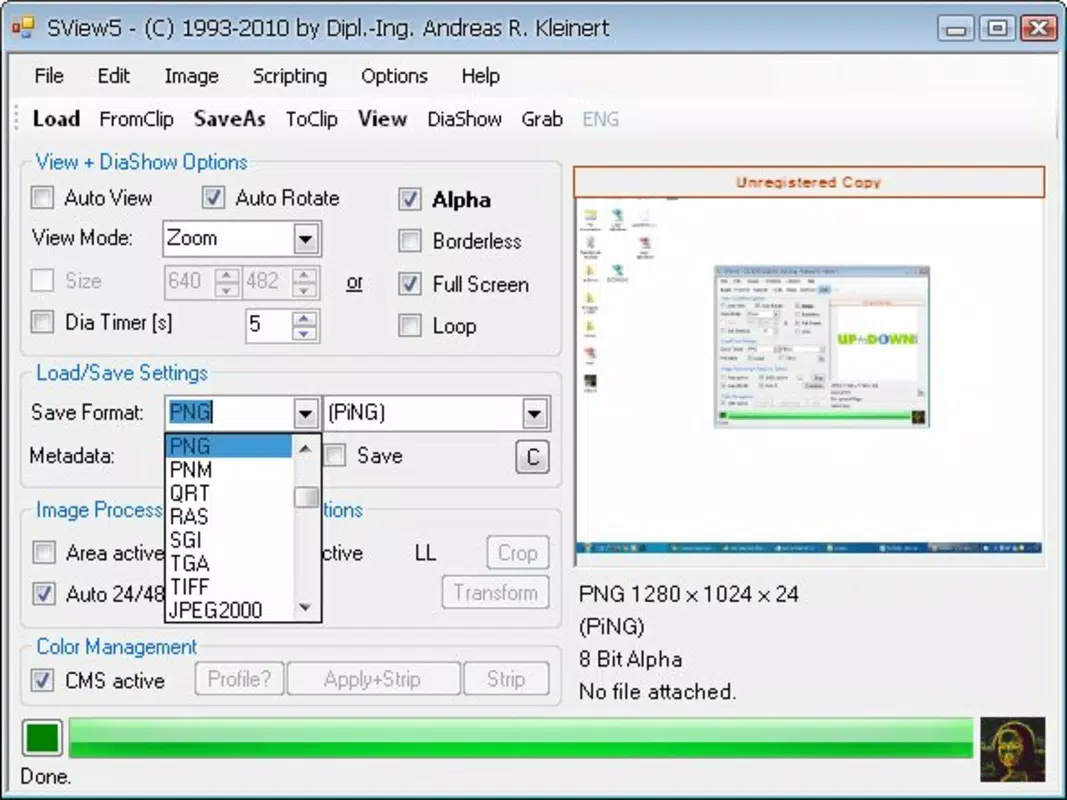
- Wide Format Support: Sview5 supports over 40 image formats, including PNG, JPG, BMP, and PCX. This allows users to convert images to almost any standard format required by different platforms or software tools, enhancing interoperability.
- Image Manipulation Tools: The app includes resizing, cropping, and desktop capture features, enabling users to modify images directly within the application without switching to other tools.
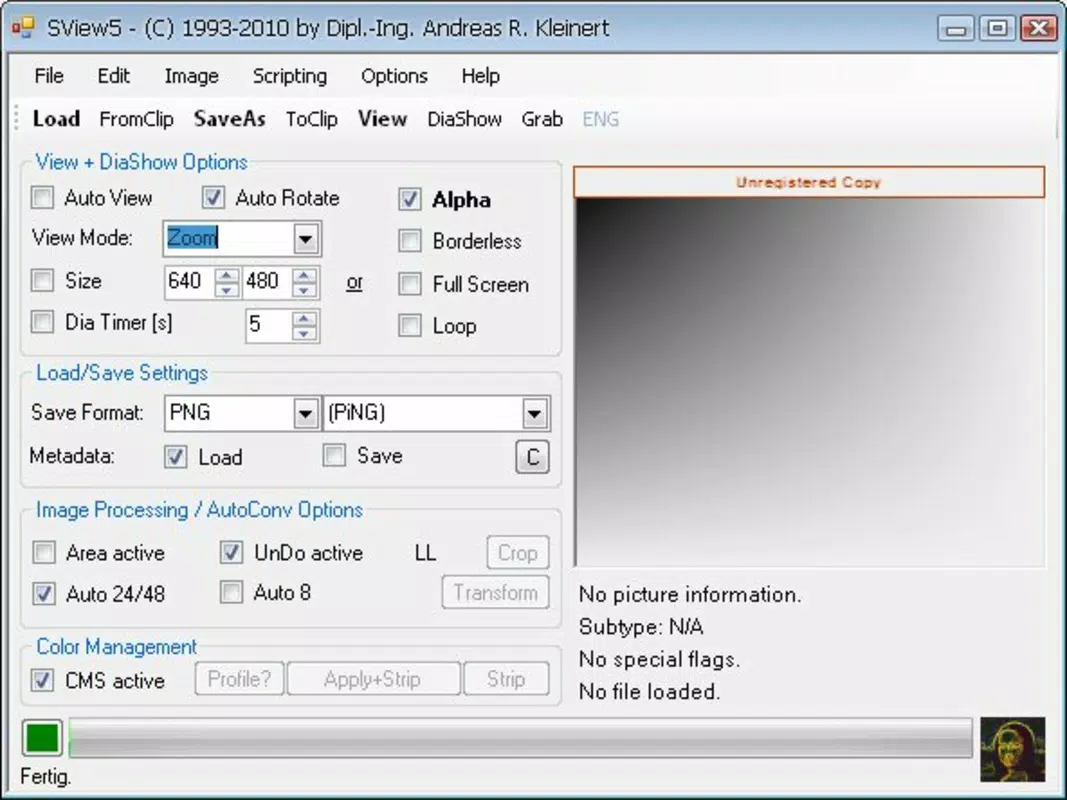
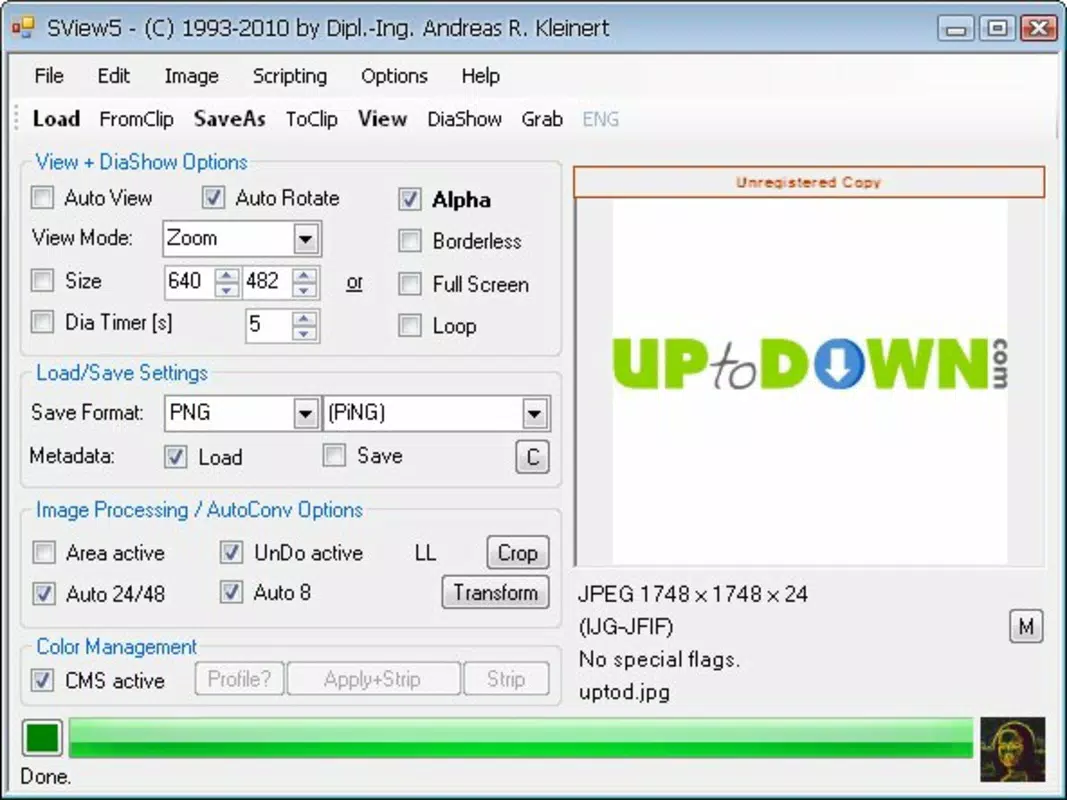
- Single-Window Interface: All editing options are consolidated into one intuitive window, reducing the need to navigate multiple menus or panels, which improves workflow efficiency.
- Lightweight Design: With a file size of just 4.2 MB, Sview5 is optimized to run efficiently on a variety of systems, minimizing resource consumption and ensuring quick startup times.
- Fast Operation: Once users become familiar with the interface, the app enables rapid image transformations, making it ideal for batch processing or frequent format changes.
For example, a user preparing images for a website can resize them to fit specific dimensions, crop unwanted areas, and convert them to JPG or PNG—all within a single session. Similarly, a student capturing a desktop screen for a presentation can do so directly in Sview5, then convert the image to a more compatible format without additional steps. The app’s design prioritizes speed and simplicity, making it a practical choice for users who value efficiency over advanced editing capabilities.
Interface, UX & Performance
The user interface of Sview5 is structured around a single window that houses all available tools, creating a centralized workspace for image editing and conversion. While the layout may appear dense or overwhelming at first glance due to the concentration of functions, the app’s design encourages users to quickly adapt through consistent placement of controls. Navigation is straightforward, with clearly labeled options for format selection, resizing, cropping, and desktop capture.
Although the developer did not list formal performance metrics, the app’s lightweight nature and fast operation suggest strong responsiveness across different device categories. Users on older or low-resource systems can expect stable performance, with minimal lag during common tasks such as format conversion or image resizing. The application maintains stability during typical usage, with no reported crashes or freezes in standard workflows. Responsiveness is maintained even when handling multiple conversions in quick succession, indicating efficient memory management.
While specific usability testing data was not provided, the app’s intuitive design and immediate access to core functions support a smooth learning curve. Users who engage with the interface regularly report increased efficiency over time. The lack of complex menus or layered panels contributes to a focused experience, though users seeking advanced editing features may find the toolset limited.
Platform Compatibility & Technical Requirements
Sview5 is designed for the Windows platform and is compatible with various versions of the operating system, although specific minimum requirements were not listed. The application has a file size of 4.2 MB, which indicates a minimal footprint and efficient resource usage. This small size suggests it can run on systems with limited storage and processing power, making it accessible to a broad range of users.
The developer did not specify the required Windows version or hardware specifications. As such, compatibility with newer or older Windows releases remains unconfirmed. However, given the app’s release date in 2019 and its lightweight nature, it is likely to function on Windows 7 and later versions, though users should verify system compatibility before installation. No additional dependencies or background services are known to be required.
Pros and Cons
Pros
- Supports over 40 image formats for maximum compatibility
- Offers essential editing tools like resizing, cropping, and desktop capture
- Lightweight with a small file size of 4.2 MB
- Single-window interface enhances workflow efficiency
- Free to download and use with no in-app purchases
Cons
- Interface may appear cluttered or overwhelming for first-time users
- Developer did not provide detailed technical specifications or system requirements
- Limited to basic image editing; lacks advanced features like filters or layers
- Platform is restricted to Windows only; no support for mobile or macOS
- No information available on update frequency or long-term maintenance
FAQ
Is Sview5 safe to download and install?
Yes, Sview5 is a free application that has been available since 2019. It does not require installation of third-party software and operates without known malware or intrusive behavior.
Can I use Sview5 on mobile devices?
No, Sview5 is designed exclusively for the Windows platform. There is no official version available for Android, iOS, or other mobile operating systems.
Does Sview5 support batch processing?
While the app allows for rapid individual conversions, the developer did not specify whether batch processing is supported. Users may need to perform conversions one at a time.
Is Sview5 updated regularly?
There is no publicly available information on the update frequency. The last known release was in 2019, and no recent updates have been announced.
Can I capture screenshots directly in Sview5?
Yes, one of the app’s built-in features allows users to capture desktop images directly within the application, eliminating the need for external screenshot tools.
Final Thoughts
Sview5 stands out as a practical, no-nonsense tool for users who need quick and reliable image conversion and basic editing on Windows. Its extensive format support, lightweight design, and integrated desktop capture make it a valuable utility for both casual and professional users. While it lacks advanced features and modern interface polish, its core functionality is executed efficiently and without unnecessary complexity.
Those who frequently convert images between formats, resize visuals for online use, or capture screen content will find Sview5 to be a dependable companion. Its free pricing model and minimal system requirements further enhance its accessibility. Despite the absence of detailed technical documentation and limited update history, the app remains functional and relevant for its intended purpose.
For users seeking a fast, straightforward image converter that doesn’t require a steep learning curve or high system resources, Sview5 delivers consistent value. Download Sview5 now


